Most small business websites go through the same seven stages: discovery, site structure, content, design, build, testing and launch. A typical small business site takes six to ten weeks from the first meeting to going live. A larger custom site with integrations takes three to five months.
In our experience, late content holds up more projects than design or code ever does. Developers wait for page copy and photos far more often than clients wait for developers. Knowing what you'll be asked for, and when, before you sign anything saves weeks.
The short version
- Agree goals, audience, pages and who signs off before any design starts.
- Plan the page list and the searches each page should answer, then write the content early.
- Approve layouts on a phone screen, not only on a desktop monitor.
- Test forms, speed, accessibility and redirects before launch, not after.
- Make sure the domain, hosting and analytics accounts are in your business's name.
The seven stages at a glance
Timings below are typical for a small business site of 8 to 20 pages. Bigger projects stretch the build and testing stages most.
| Stage | What happens | What you supply | Typical time |
|---|---|---|---|
| 1. Discovery | Goals, audience, competitors, scope and budget agreed in writing | Answers, examples you like, access to the current site | 1 to 2 weeks |
| 2. Site structure | Page list, navigation and the main search terms per page | Your services, locations and common customer questions | About 1 week |
| 3. Content | Page copy, photos, team bios, reviews, legal pages | Facts, photos and approvals (or the copy itself) | 2 to 4 weeks, often overlapping design |
| 4. Design | Wireframes, then full designs for key pages on phone and desktop | Feedback in agreed rounds | 1 to 3 weeks |
| 5. Build | Pages, content management, forms, analytics and integrations | Logins for tools you already use | 2 to 4 weeks |
| 6. Testing | Devices, browsers, forms, speed, accessibility, redirects | Time to review the site yourself | About 1 week |
| 7. Launch | Domain switch, security certificate, Search Console, sitemap, backups | Domain registrar access | 1 to 2 days, then 30 days of checks |
Stage 1: Discovery
Discovery is where you and the developer agree what the website is for. That sounds obvious, but "we need a new website" can mean more phone calls, fewer support emails, online bookings or looking credible to investors. Each leads to a different site.
A good discovery stage ends with a short written brief: the goal and how you'll measure it, who the site is for, the pages and features in scope, the budget, the deadline, and who has final say. Don't skip that last one. A project with three people approving designs moves noticeably slower than one with a single decision maker. Our website brief template lists the questions to answer.
Stage 2: Site structure
Next comes the sitemap, meaning the list of pages and how they link together. A typical small business needs a home page, one page per main service, an about page, a contact page and the legal pages. Our guide to how many pages a website needs goes through the common setups.
This is also the moment to decide which search each page should answer. A plumber with one "Services" page competes for nothing in particular. Separate pages for drain cleaning, water heater repair and emergency callouts can each rank for what people actually type. Keyword research doesn't need paid tools at this size; Google's own autocomplete and your customers' questions go a long way.
Stage 3: Content
Content means the words, photos and proof on each page: service descriptions, prices or price guides if you share them, reviews, team photos, case studies, FAQs. Designers can work with placeholder text for a while, but a page designed around three lines of copy rarely survives contact with the real three paragraphs.
Decide early who writes it. If you're writing it yourself, set a date for each page and stick to it. If the developer or a copywriter is writing it, they still need facts only you have, like how long a job takes or which areas you cover. Our guide to writing website copy has a simple structure for service pages, and what to put on your homepage covers the page most people see first.
Real photos beat stock photos almost every time. If you can, book a photographer for half a day during this stage, before design is finished.
Stage 4: Design
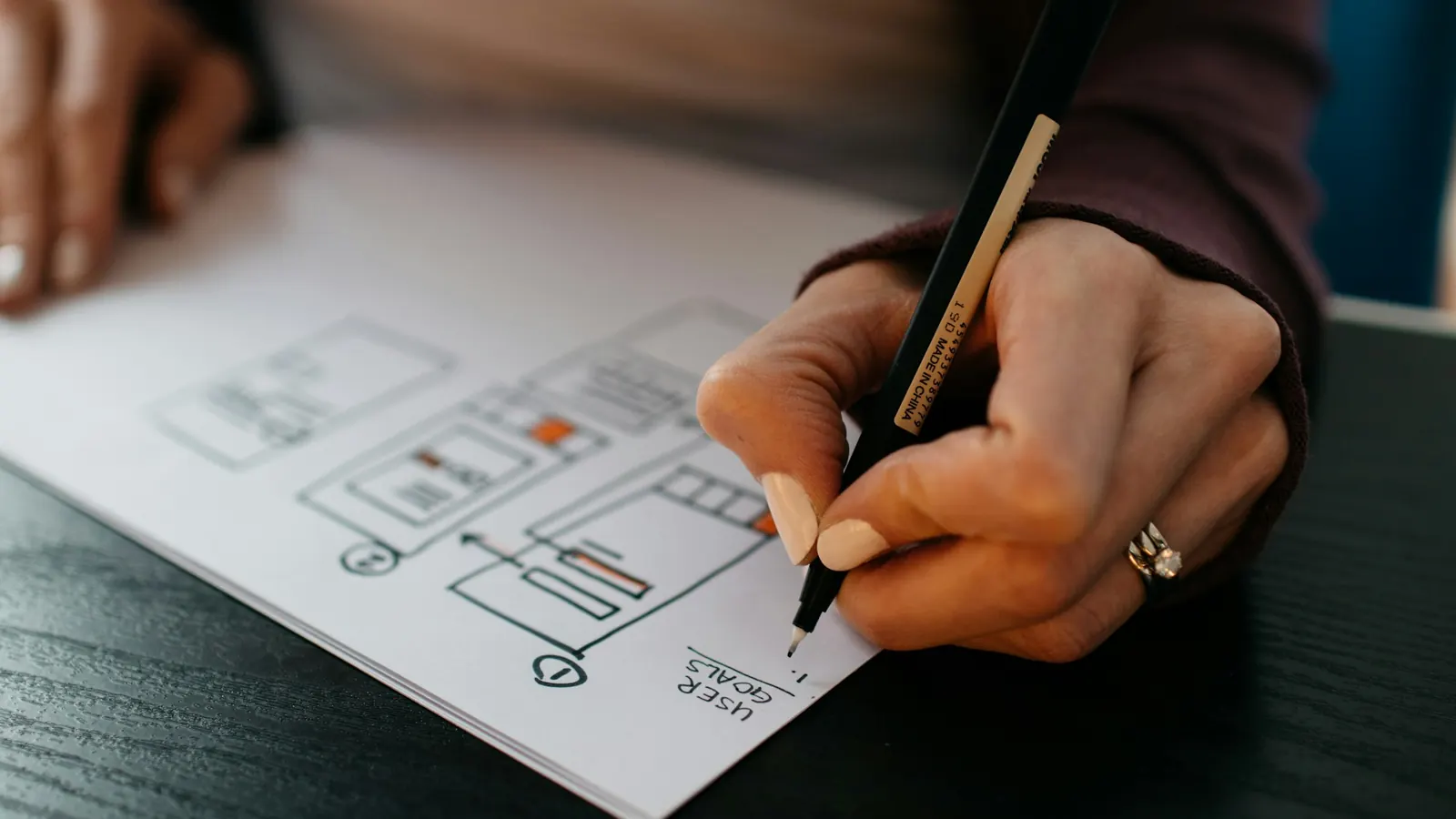
Design usually starts with wireframes: plain grey layouts that show what goes where without colors or fonts. Approving the layout first saves you from arguing about a button's color when the button is in the wrong place. After wireframes come full designs for a few key pages, which set the style for the rest.
Review designs on your phone. On many small business sites most visitors arrive on a phone, and a layout that looks spacious on a 27-inch monitor can bury the phone number on a small screen. Agree on the number of feedback rounds up front, and collect everyone's comments into one list for each round.
Stage 5: Build
The build turns approved designs into a working site. The platform choice should already be settled by now. WordPress, Shopify, Squarespace, Webflow and custom code all have their place, and our guide to choosing a website platform compares them. Whichever you pick, make sure you can edit everyday content yourself without calling the developer.
Put speed and accessibility targets in the brief. Both cost far less to build in than to fix after launch.
For speed, Google's Core Web Vitals give clear numbers: the main content should load within 2.5 seconds, the page should respond to a tap or click within 200 milliseconds, and the layout shift score should stay at 0.1 or less. The Core Web Vitals guide on our blog explains each one.
For accessibility, WCAG 2.2 at level AA is the usual standard. It covers color contrast, keyboard navigation, form labels, alt text on images and more. In the US, the Department of Justice says the ADA applies to the websites of businesses open to the public. In the UK, the Equality Act 2010 requires reasonable adjustments for disabled people. See our guide to website accessibility.
The build also covers the plumbing visitors never see: contact forms that send to the right inbox (or straight into a CRM), analytics, cookie consent where needed, structured data and a sitemap file.
Stage 6: Testing
Testing is the stage most often squeezed when a deadline slips, and it's the one you'll regret squeezing. Before launch, someone should check:
- Every form, by sending a real test message and confirming it arrives.
- The site on an iPhone, an Android phone and at least two desktop browsers.
- Page speed on a phone over mobile data, not just on office Wi-Fi.
- Keyboard navigation and color contrast on the main pages.
- Spelling, phone numbers, prices and opening hours, page by page.
- If you're replacing an old site, a 301 redirect from every old page address to its new one.
That last point protects the search traffic you already have. Skipping redirects is the most common way a new website loses rankings it took years to earn. If you're replacing a site, read how to redesign without losing SEO before launch week.
Stage 7: Launch and the first 30 days
Launch day is mostly checks: pointing the domain at the new hosting, confirming the security certificate (the padlock) works, submitting the sitemap in Google Search Console and Bing Webmaster Tools, and confirming analytics records visits. Our website launch checklist has the full list.
Then watch closely for a month. Check Search Console for crawl errors and pages that aren't indexed, look at which pages people land on, and fix the small things real visitors find. Set up automatic backups before you start making changes yourself.
Who should own what
Before the project starts, agree in writing that your business owns the domain name, the hosting account, the analytics and Search Console properties, and the site's content and design files. The developer can have access to all of them. They shouldn't be the only one who does. The ownership check takes about ten minutes, and we'd run it on any existing site too.
What drives the cost
Prices vary widely, but the same factors push them up or down:
- Number of unique page layouts. Twenty service pages built from one template cost far less than twenty different designs.
- Who writes the content and supplies the photos.
- Integrations such as booking systems, payment, CRM or inventory.
- Online selling. A store adds product data, checkout, shipping and tax rules.
- Moving content from an old site, especially hundreds of blog posts or products.
- Ongoing care: updates, backups, security monitoring and small edits after launch.
Official sources
- SEO starter guide (Google Search Central)
- Web Vitals (web.dev, Google)
- Guidance on web accessibility and the ADA (ADA.gov)
- Understanding WCAG 2.2 (GOV.UK Service Manual)
- Introduction to robots.txt (Google Search Central)
Frequently asked questions
How long does it take to develop a small business website?
Usually six to ten weeks for a site of 8 to 20 pages. A larger custom site with integrations takes three to five months. Content that arrives late is the most common reason a project runs over.
What's the difference between web design and web development?
Design decides how the site looks and how people move through it. Development builds it so it works: the code, content management, forms, speed and integrations. Most small business projects have both done by the same team.
Should I use a template or get a custom design?
A good template works well for many small businesses, especially at the start. Custom design makes sense when you need to stand out in a crowded market, have unusual content, or need features a template can't handle cleanly.
Do I need to write my own website content?
No, but you'll need to supply the facts and approve the final copy. Even when a copywriter does the writing, plan a few hours per main page for interviews and review.
What should I have ready before contacting a web developer?
Your goal for the site, a rough page list, three or four sites you like and why, your budget range, your deadline and the name of whoever makes the final decisions. Logins for your domain and current site help too.
Planning a new website?
We run every website design project through these seven stages. You get a progress report every Friday, and the hosting and domain stay in your name. To see where your current site stands, run a free website audit, or book a call to talk through your project.
See it in practice · FinTech
FinTech KYC review cut from 5 days to 4 hours
Curious how your own site scores?
Run our free website audit. Simple report, about 10 seconds, no sign-up.